Notepad++ Portable 6.2.3 has been released. It's the handy Notepad++ text editor packaged as a portable app
so you can do your development on the go. It has all the same great
features of Notepad++ including support for multiple languages and an
extensive plugin system, but there's nothing to install. This release
updates Notepad++ to the latest release and improves portablization when
running from cloud drives. It's packaged in PortableApps.com Format so
it can easily integrate with the PortableApps.com Platform. And it's open source and completely free.
Features
Notepad++ Portable is a full-featured text editor with features like:
Syntax Highlighting and Syntax Folding (C, C++, HTML, ASP, Java, Pascal, CSS and more)
#develop (short for SharpDevelop) is a free IDE for C#, VB.NET and Boo projects on Microsoft's .NET platform. It is open-source, and you can download both sourcecode and executables from this site. In addition, you can find the latest information and changes on #develop, as well as get in touch with the team in the forum.
SQL Maestro for MySQL is the premier MySQL admin tool for database management, control and development. Key features include:
Easy database object management
Database Designer
Data management: viewing, editing, grouping, sorting and filtering abilities
Handy SQL Editor with code folding, syntax highlighting, and multi-threading
Visual Query Builder
Possibility to connect to remote servers via SSH or HTTP tunnel
Data export/import to/from the most popular formats
Powerful BLOB Viewer/Editor
The application also provides you with a powerful set of tools to edit and execute SQL scripts, build visual diagrams for numeric data, compose OLAP cubes, and much more.
Easy installation and intuitive interface in combination with support of all the MySQL latest features make it an irreplaceable tool for MySQL on the web or at your local desktop.
SQL Maestro for MySQL provides an ability to manage queries in the same way as if they were database objects. This means that you can view queries in the explorer tree, use them in BLOB Viewer and Diagram Viewer, perform drag-and-drop operation upon them, copy them to clipboard like you copy an object, an so on. To be able to manage a query as an object, you should save the query to database profile using the corresponding item of SQL Editor or Visual Query Builder. After that the query will appear in the explorer tree.
phpDesigner 2008 is your PHP IDE and PHP editor for all your PHP and Web development with support for PHP object-oriented programming, PHP frameworks, debug with Xdebug, remote ftp-editing and hundreds other cool features!
Introduction
phpDesigner 2008 is today's PHP IDE and PHP editor - the complete integrated development environment for PHP for both beginners and professional developers that help you boost the process of editing, analyzing, debugging and publishing applications and websites powered by PHP and other web languages!
Boost your productivity
phpDesigner 2008 is designed to boost your productivity and simplify complex coding projects through intelligent set of editing tools that includes full support for PHP4/PHP5, syntax highlighters, highlighting of matching tags/braces and numerous tools and wizards to speed of your development!
Intelligent syntax highlighting
The intelligent syntax highlighter in phpDesigner 2008 makes it the ideal development environment for AJAX developers. Automatic switch between syntax highlighters for PHP, HTML, CSS, and JavaScript dependant on your position in the file and dim the rest of the code!
PHP, HTML, CSS, JavaScript and more...
phpDesigner 2008 has the WAMP and LAMP developer in mind. The strength in PHP lies in the ability to embed it into- and together with other web-languages and technologies.
Therefore, does phpDesigner 2008 not only support PHP but also other web-languages as HTML, XHTML, MySQL, XML, CSS, JavaScript, VBScript, Java, C#, Perl, Python and Ruby!
PHP Object-oriented programming (OOP)
In phpDesigner 2008 you can work with object-oriented programming (OOP) in PHP5, nested code completion and have code tip displayed as you type so you do not need to look into documentation to see classes and function attributes!
Work with projects and PHP frameworks
In phpDesigner 2008 you can work with projects and integrate any PHP framework into your project and access all your files, classes, functions, interfaces, variables and constants declared in your project on the fly!
Real debugging using Xdebug
Debugging has never been easier with the new integration of Xdebug in phpDesigner 2008.
Analyze your code step by step using breakpoints, watches, evaluations etc. Find bottlenecks in your code or see which parts of your code are slow and could use a speed boost with the profiler support!
Learn PHP
Explore the world of PHP and shorten the learning curve with detailed information about more than 3000 native PHP functions on the fly!
Enjoyable to use for hours and hours!
The philosophy behind phpDesigner 2008 is to make it, enjoyable to use for hours and hours for both beginners and professional developers through an easy-to-use-, intuitive-, customizable- and tabbed interface!
Built-in Clipboard Extender, quickly paste your frequently used code snippets, launch your favorite applications and URLs and more! You can use the clipboard menus to paste collected code back to any windows application, launch your favorite application, folder or website, and more!
Quickly capture important data. Perfect for Internet research!
Press CAPS-Lock twice anywhere to quickly & silently add clipboard content on-the-fly. Perfect for Internet research. More than 10,000 lines of open source & free source code included!
You don't have to start from scratch, plenty of task-oriented code snippets & components covering most programming subjects are available to you for FRE
n just 24 sessions of one hour or less, you will be up and running with Visual C# 2008. Using a straightforward, step-by-step approach, each lesson builds upon the previous one, allowing you to learn the essentials of Visual C# from the ground up. By the Way notes present interesting pieces of information.Did You Know? tips offer advice or teach an easier way to do something.Watch Out! cautions advise you about potential problems and help you steer clear of disaster.Learn how to...
* Use the powerful design environment of Visual Studio 2008 * Design a feature-rich interface using components such as tree views and tabs * Create robust applications using modern error handling * Draw fast graphics using GDI+ * Build a database application using ADO.NET * Distribute a Visual C# 2008 application
James Foxall is vice president of Tigerpaw Software, Inc. (www.tigerpawsoftware.com), a Bellevue, Nebraska, Microsoft Certified Partner specializing in commercial database applications. He manages the development, support, training, and education of Tigerpaw CRM+, an award-winning application that automates contact management, marketing, service and repair, proposal generation, inventory control, and purchasing. Tigerpaw has more than 20,000 licensed users in 27 countries. Foxall’s experience in creating certified Office-compatible software has made him an authority on application interface and behavior standards. In addition to being a well-known author, James is an international speaker on Microsoft technologies, has taught at the college level, and contributes to several journals.
Mastering Microsoft Visual Basic 2008/byEvangelos Petroutsos(Author) Description Mastering Microsoft Visual Basic 2008 continues the approach of its previous editions by providing thorough, expert coverage of VB 2008, from the core of the language and user interface design to developing data-driven applications and Web applications. The material is aimed at beginners with some programming background to experienced programmers, with emphasis on intermediate and advanced development topics.[cut] The book will contain numerous example programs that readers can use as starting points for building their own applications, and each chapter ends with review exercises to help readers solidify their knowledge. From the Back Cover The Visual Basic book programmers count on You can build rich, data-driven Windows applications and Web programs without endless coding if you use the right tools. This expert guide covers what you need to know to program with Visual Basic 2008, employ the latest Visual Studio 2008 tools, and operate efficiently within the .NET Framework. In a clear, easy-to-follow style, the book moves from in-depth explanations to practicalinstruction to real-world examples. You'll thoroughly explore basic coding in VB 2008and learn to build interfaces without coding by using Visual Studio 2008's drag-and-drop visual tools. You'll get up to speed on Language Integrated Query (LINQ), the new component in .NET Framework 3.5, and you'll handle key tasks such as programming TreeView controls, encrypting data, and much more. Enhance your skills in Visual Basic 2008 and the Visual Studio 2008 environment with the new edition of this bestselling guide. Coverage includes: *Understanding custom classes, controls, and other aspects of object-oriented programming *Processing strings, characters, events, lists, and dates *Designing forms with menus, and creating applications with multiple forms *Printing business reports with headers, footers, and page numbers *Exploring XML object ******ization and XML Web services *Querying databases and presenting data to users *Programming basic objects of ADO.NET *Harnessing ASP.NET 3.5 and developing Web applications *Master the New Features in Visual Basic 2008, .NET Framework 3.5, and Visual Studio 2008 *Build a Custom, Practical Application from the Techniques in This Book *Test, Debug, and Deploy a Variety of Applications in Visual Studio 2008 *Explore the New Vista Interface and How It Affects VB Programming *Reinforce Your Programming Skills with Numerous Real-World Examples
Axialis Icon Workshop Professional v6.3.0.0 With Axialis IconWorkshop™ you create, modify, convert and manage all kinds of icons for Windows®, Macintosh® and Unix. It supports PNG-compressed icons up to 256×256 for Windows Vista™ and 512×512 for Macintosh® OSX 10.5 Leopard. It permits creation and edition of icons in Image Strips for application toolbars.
The application is fully compatible with Windows Vista™
Release Name : Axialis.Icon.Workshop.Professional.v6.3.0.0-NoPE
Joomla! is one of the most powerful Open Source Content Management Systems on the planet. It is used all over the world for everything from simple websites to complex corporate applications. Joomla! is easy to install, simple to manage, and reliable.
Rapid PHP editor is a powerful, quick and sophisticated PHP editor that extends far beyond the essentials of regular PHP editing environments. Convenient features enable you to instantly create and edit not only PHP, but also HTML, XHTML, CSS and JavaScript code, while integrated tools allow you to easily debug, validate, reuse, navigate and format your code. Whether you are a professional developer or pure enthusiast, with Rapid PHP editor you can get your job done faster, save time and increase productivity.
Rapid PHP Editor is the world's only PHP editor that includes full-scale HTML, CSS and JavaScript editors. Now you can accomplish more with a single tool.
Key Features and Benefits
Speed - loads very quickly
Sophisticated, fully customizable and familiar text editor
Syntax highlighting for PHP, HTML, CSS, JavaScript, WML, XML and SQL
UTF-8 Unicode Support
Easily navigate your code with Code Explorer
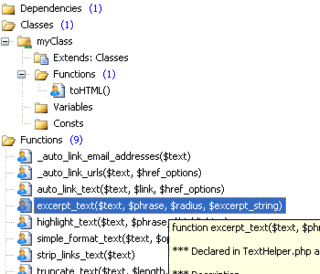
Lookup PHP function parameters with Function Hints
Lookup functions, variables and properties with Auto Complete


 Notepad++ Portable 6.2.3 has been released. It's the handy Notepad++ text editor packaged as a portable app
so you can do your development on the go. It has all the same great
features of Notepad++ including support for multiple languages and an
extensive plugin system, but there's nothing to install. This release
updates Notepad++ to the latest release and improves portablization when
running from cloud drives. It's packaged in PortableApps.com Format so
it can easily integrate with the PortableApps.com Platform. And it's open source and completely free.
Notepad++ Portable 6.2.3 has been released. It's the handy Notepad++ text editor packaged as a portable app
so you can do your development on the go. It has all the same great
features of Notepad++ including support for multiple languages and an
extensive plugin system, but there's nothing to install. This release
updates Notepad++ to the latest release and improves portablization when
running from cloud drives. It's packaged in PortableApps.com Format so
it can easily integrate with the PortableApps.com Platform. And it's open source and completely free. Notepad++ Portable is a full-featured text editor with features like: